Unreal Engine 5 | Gameplay / AI
Crowd Toolkit
High-performance RTS crowd movement for Unreal Engine 5. Order thousands of agents to move as groups, with flow-field and A* pathfinding, formations, and local avoidance that keeps units flowing instead of stacking.
Showcase
See it in action
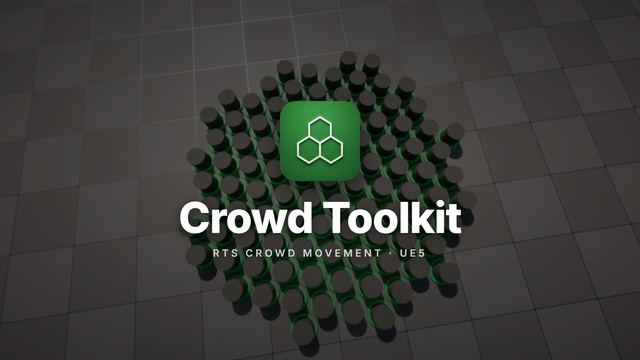
Watch thousands of agents take a single order and move as a coordinated crowd, pathfinding around obstacles and settling into formation.

Why Crowd Toolkit
Move an army, not a thousand actors.
Give each RTS unit its own pathfinding and its own collision, and the moment you scale to hundreds of them the game thread falls over and your neat groups dissolve into a shoving match. Coordinated crowd movement is one of the hardest systems to get right in a strategy game.
Crowd Toolkit is built for exactly that. Thousands of agents move as groups under a single order, sharing a flow-field path so the whole crowd routes efficiently, while local avoidance keeps individuals from piling up. Need a single unit or a precise route? Spatial A* handles the individuals. It's the whole movement layer (selection, orders, formations, avoidance, and events) packaged as a documented UE5 plugin.
Features
A complete RTS movement layer
Everything you need to select, order, and move large groups of units, and react to what they do.
Group formations
Move units in blob, box, or wedge formations under a single order, with the whole group sharing one path.
Dual pathfinding
Flow-field pathfinding for crowds that share a destination, plus spatial A* for precise individual routes.
Local avoidance
Agents steer around each other, obstacles, and stationary units so crowds flow naturally instead of stacking.
Runtime walls
Grid-based walls block movement, seeded from the level's navigation mesh or stamped dynamically at runtime.
Selection & queries
Marquee-select from screen coordinates or query units by rectangle or radius, with stable per-agent IDs.
Movement events
React to gameplay with callbacks for reached-goal, stuck, and orders-canceled, plus spawn and removal events.
Ground snapping
The 2D simulation snaps to your terrain with Z-tracking and slope alignment so units sit and turn on the ground.
Blueprint & C++
Full Blueprint and C++ APIs, plus bulk helpers that turn crowd positions into instanced-mesh transforms.
Per-agent speed
Override the global default speed per agent, and give units facing targets independent of their movement direction.
Better together
Pairs perfectly with Vertex Animation Toolkit
Crowd Toolkit moves thousands of agents; Vertex Animation Toolkit renders thousands of animated meshes. Feed crowd positions straight into instanced meshes with the built-in bulk transform helpers, and you have a full pipeline of coordinated movement and cheap animated rendering for battles, hordes, and armies at scale.
At a glance
Technical details
- Engine
- Unreal Engine 5
- Category
- Code plugin, gameplay / AI
- Pathfinding
- Flow-field (crowds) & spatial A* (individuals)
- Formations
- Blob, box, wedge (shared group path)
- Avoidance
- Local avoidance around agents, obstacles & walls
- Walls
- Grid-based, seeded from nav mesh or stamped at runtime
- Events
- Reached-goal, stuck, orders-canceled, spawn / removal
- Selection
- Marquee (screen) & spatial rectangle / radius queries
- Scripting
- Blueprint & C++
- Simulation
- Single 2D plane on the game thread with ground snapping
- Available on
- Fab
FAQ
Common questions
What kind of game is Crowd Toolkit built for?
It's designed for real-time strategy and similar games where you order large groups of units to move together: thousands of agents moving as groups under a single command.
How does the pathfinding work?
Two systems work together: flow-field pathfinding for large groups that share a destination, and spatial A* for individual agents that need a precise route. Both navigate around obstacles and runtime walls.
Does it support formations and avoidance?
Yes. Groups can move in blob, box, or wedge formations while sharing one path, and local avoidance keeps agents from stacking as they flow around obstacles and each other.
Can I use it from Blueprints?
Yes. Crowd Toolkit exposes both Blueprint and C++ APIs, including selection queries and movement events such as reached-goal, stuck, and orders-canceled.
Are there any limitations?
The simulation runs on the game thread within a single 2D plane, so multi-floor environments aren't supported yet. Agent radius and the default speed are global, though per-agent speed overrides are available. See the documentation for the current details.

Get the toolkit
Grab Crowd Toolkit on Fab, or reach out if you need a custom crowd or RTS system built for your project.